🎁 How do I activate my bonus on PickWin?
🎁 How to activate a bonus on PickWin
Hi and welcome to PickWin! 😄
Ready to enjoy our awesome bonuses? We'll walk you through it step by step so you never miss an offer!
👉 Step 1: First things first, remember to activate your bonus BEFORE you make your deposit.
This is super important so everything runs smoothly 🎰.
👉 Step 2: Head to the home page
Once you're logged in, look to your left and click the "Promotions" tab.

🔓 Step 3: Click "Redeem Promo Code"
At the top right of the page, click "Redeem Promo Code".
A window will open: enter your promo code in the field, then confirm.

👉 Step 4: Enter your magic code ✨
A small window will open: just enter your bonus code. Then click "claim ".

✅ Once the code is accepted, a confirmation message will appear at the top left of your screen!

🎉 Step 5: Activate your bonus
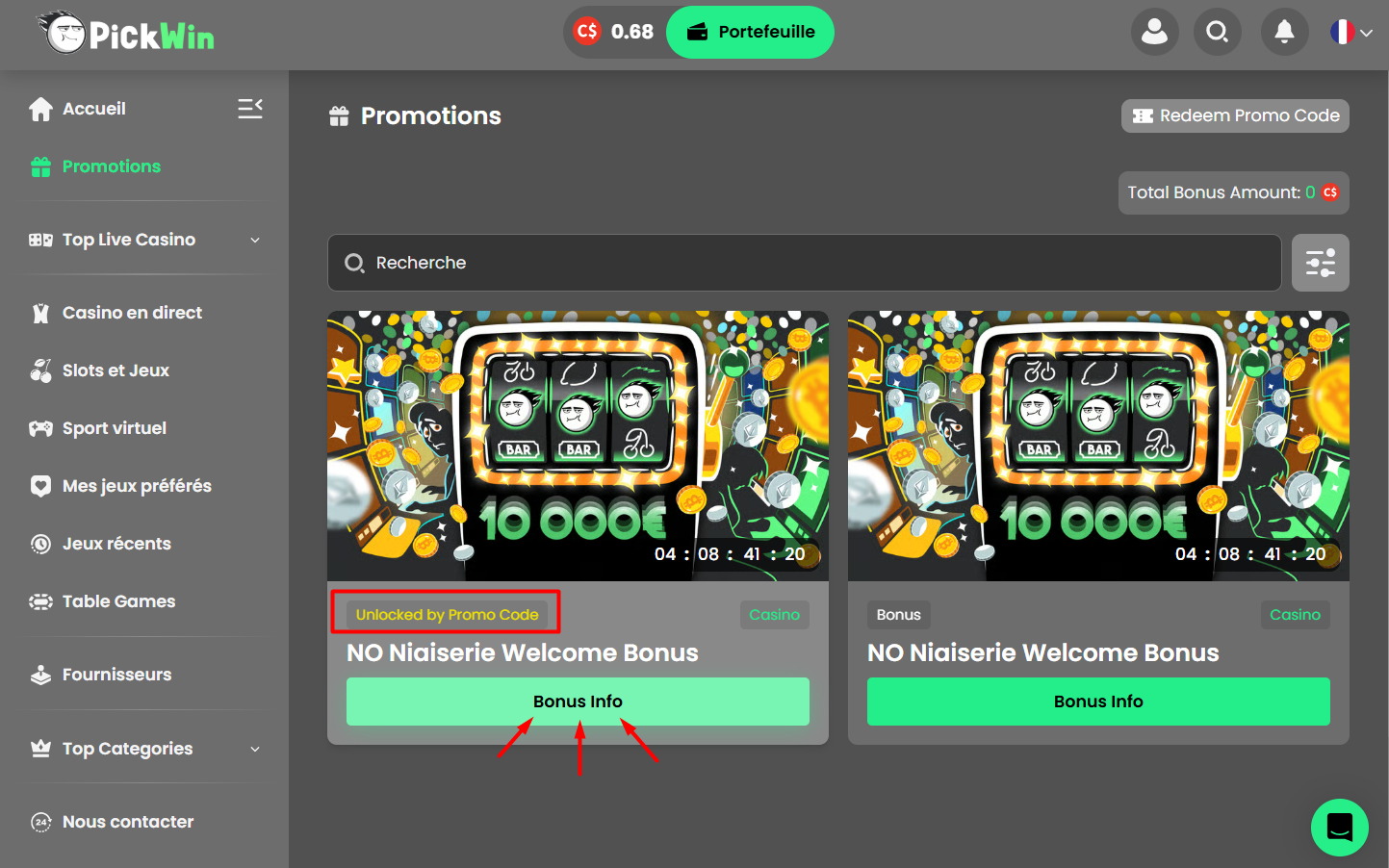
Next, click the "Bonus Info" tab
(Find the bonus in the "Unlocked by Promo Code" section.)
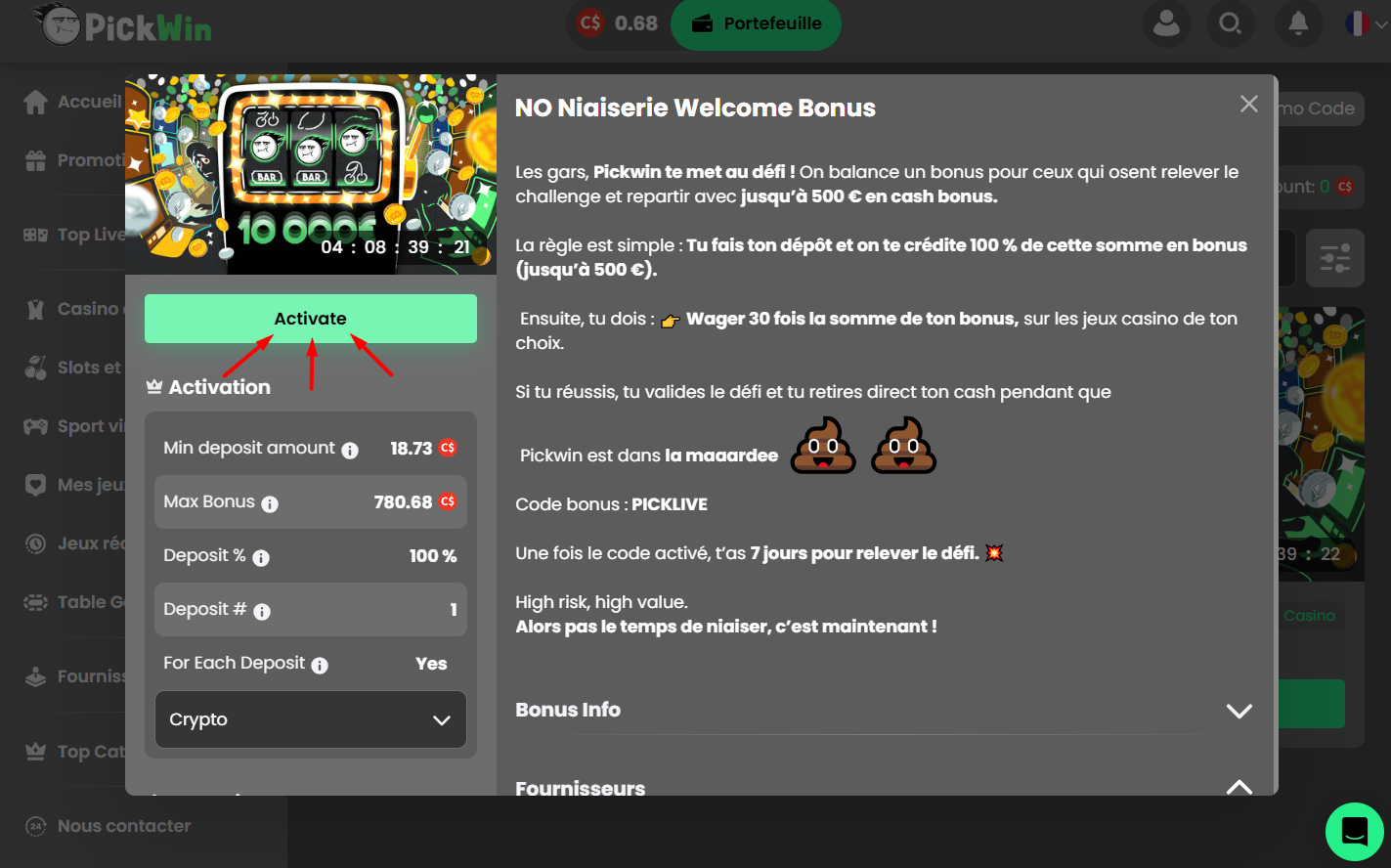
Click "Activate"
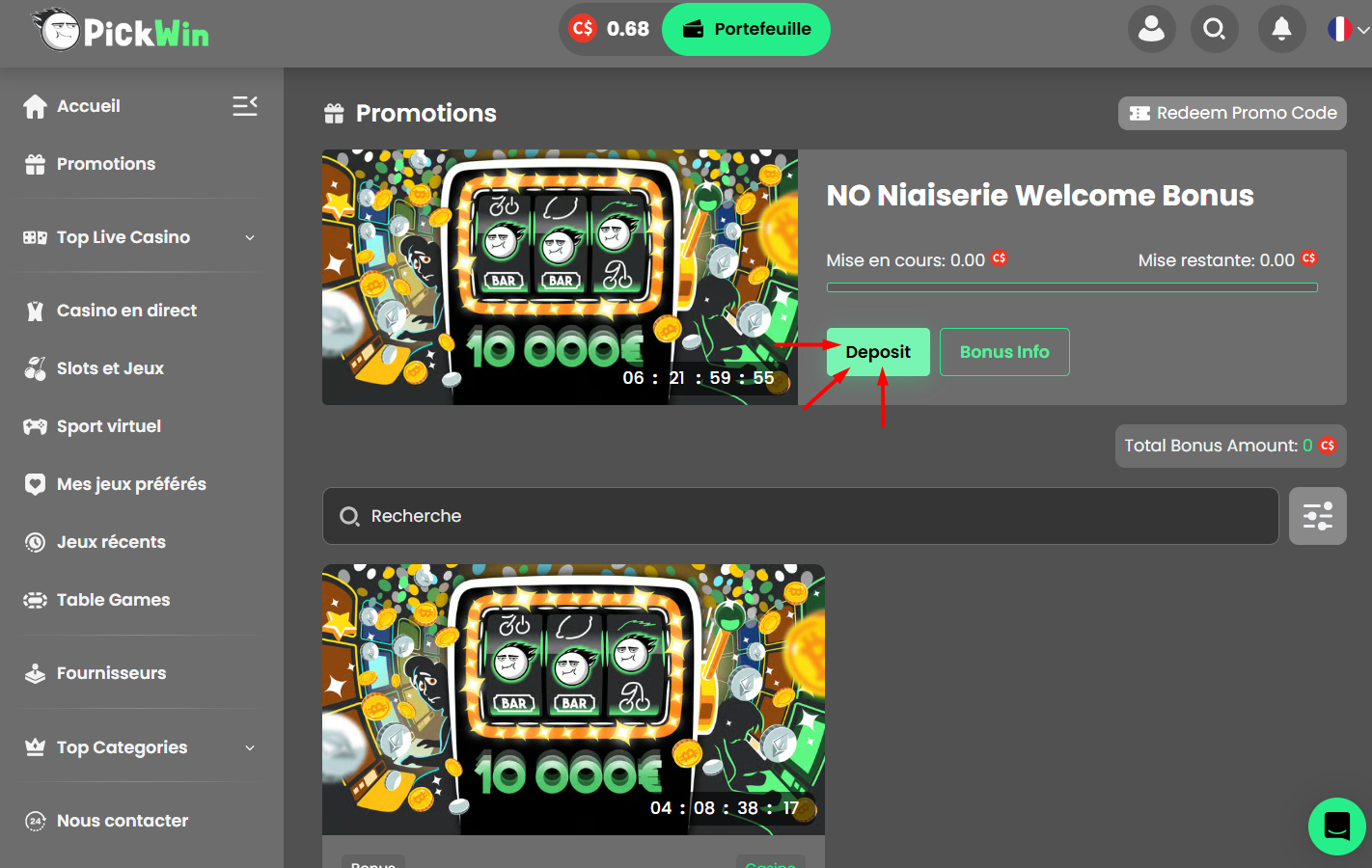
And finally, click "Deposit".


💳 Step 6: Make your deposit
Choose your preferred payment method.
⚠️ Heads up: make sure you meet the minimum deposit amount so the bonus gets credited!
ℹ️ Good to know:
Deposits below the minimum amount are not accepted and won't be credited because of transaction fees.
💸 The deposit amount doesn't include transfer fees. Remember to add those fees to the amount you send!

💬 Once your deposit goes through, the money can take a few seconds to a few minutes to show up in your account.

🎮 And that's it, you're all set!
Your bonus is activated 🎁
Now go enjoy our games and try your luck!
Good luck… and above all, have fun on PickWin! 🍀😄